Get the 25BD App on Your Android Phone Today
One free download. All your slots, fishing games and cricket markets load faster than the browser version — and your bKash or Nagad balance stays right where you left it. The 25BD App is free, weighs just 28 MB, and runs on Android 6.0 and above.
Download the 25BD App — File Details
| Version | 2.6.15 |
|---|---|
| File name | 25bd.apk |
| File size | 28 MB |
| Android required | 6.0 or later |
| Last updated | 16 November 2026 |
| Price | Free |
| Languages | English & Bangla |
iOS users: add to your home screen
-
1
Open Safari on your iPhone or iPad and go to 25bd.im. Other browsers do not support this feature.
-
2
Tap the Share icon at the bottom of the screen (the box with an arrow pointing up).
-
3
Scroll down in the share sheet and tap "Add to Home Screen", then confirm the name and tap Add.
-
4
The 25BD icon now sits on your home screen. Tap it to open a full-screen browser session — no App Store needed.
What's Waiting Inside the App
25BD App — interface preview
The app gives you access to fishing rooms, slots and sports markets without switching tabs. Here are two titles that play best on a small screen:

King of Fishing
PG Soft · Fishing room
RTP 96.6%Bet ৳10 – ৳10,000 per round
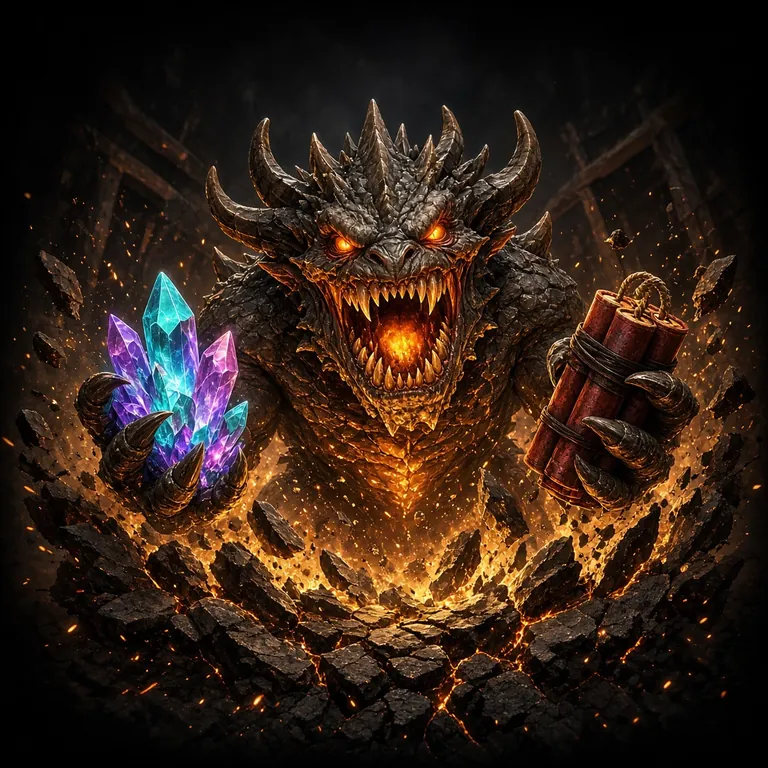
Golden Land
FA Chai · Slots
RTP 97.0%Bet ৳2 – ৳50,000 per spin
How to Install the 25BD APK on Android (Step by Step)
The whole process takes under two minutes on most phones. You need Android 6.0 or later and about 50 MB of free storage (28 MB for the APK plus working space). Follow these steps in order.
-
01
Allow unknown sources
Go to Settings → Security (or Privacy on newer phones) and turn on "Install unknown apps" for your browser or file manager. This is a one-time setting — you can turn it off again after installing.
-
02
Download 25bd.apk
Tap the Download APK button above. Your browser will save 25bd.apk (28 MB) to your Downloads folder. Wait for the download bar to reach 100% — do not close the browser early.
-
03
Open the file
Open your Downloads folder (use the Files or My Files app) and tap 25bd.apk. Android will show an install screen listing the app's permissions. Tap Install.
-
04
Wait for install
Installation takes 10–20 seconds. When the screen shows "App installed", tap Open. The app icon will also appear in your home screen and app drawer automatically.
-
05
Log in or register
Tap Log In if you already have an account, or tap Register to create one in under a minute. You can deposit using bKash or Nagad immediately after signing up.
APK Won't Install? Fix It in One Step
Most install failures have a simple cause. Find the error message in the table below and follow the fix on the right.
| Problem | Likely cause | How to fix it |
|---|---|---|
| Install blocked | Android's "unknown sources" permission is off for your browser or file manager. | Go to Settings → Security → Install unknown apps, find the app you used to open the file, and enable it. |
| Parse error | The APK file is incomplete — the download was interrupted, or the file was corrupted during transfer. | Delete the partial file from Downloads and download 25bd.apk again on a stable Wi-Fi connection. |
| Not enough storage | Your phone has less than 50 MB of free internal storage. | Free space by deleting unused apps or old photos. The APK needs about 28 MB, plus Android needs working room to unpack it. |
| Android version too old | The app requires Android 6.0 or later. Older phones cannot install it. | Check your Android version at Settings → About phone → Software information. If below 6.0, use the mobile website at 25bd.im instead. |
| App crashes on open | A previous version of the app was not cleanly removed, leaving conflicting data. | Go to Settings → Apps → 25BD, tap Uninstall, then restart your phone and reinstall the APK fresh. |
Still stuck? Our 24/7 Live Chat team can walk you through it in real time — tap the chat button on the site.
What the App Asks for — and Why
When you install the APK, Android shows a list of permissions before you confirm. Here is what each one does and how to revoke it later if you change your mind.
Internet access
Required to load games, process deposits and connect to 24/7 Live Chat. The app does not work offline.
Push notifications
Sends alerts for deposit confirmations and bonus offers. You can turn this off in Settings → Apps → 25BD → Notifications at any time.
Camera (optional)
Only used if you choose to upload a photo of your ID before withdrawal. The app never opens the camera without your tap.
Storage read/write
Needed to save the app's cache so pages load faster on your next visit. No personal files are read or shared.
25BD App or Mobile Browser: Which Is Right for You?
Both options use the same account, the same games and the same payment methods. The difference is in speed and convenience.
| Feature | 25BD App | Mobile browser |
|---|---|---|
| Load speed | Faster — assets cached locally after first run | Reloads fully on each visit |
| Mobile data use | Lower after first install — cached images and scripts | Higher — full page loads every session |
| Push notifications | Deposit alerts, bonus reminders | Not available on most Android browsers |
| Installation needed | Yes — 28 MB APK download | No — open any browser and go to 25bd.im |
| iOS support | Android only | Works on Safari and Chrome for iOS |
| Auto-login | Saves session securely | Depends on browser settings |
| Best for | Daily players who want one tap to start | Occasional players or iPhone users |
Playing on a Basic Android Phone or Slow Data Connection
The 25BD App is built to run on entry-level handsets with 2 GB RAM and on 3G networks. These settings help it run smoothly even when your connection drops.
Close background apps first
On phones with 2–3 GB RAM, closing other apps before opening 25BD prevents the system from killing game sessions mid-round. Swipe them away from the recent apps screen.
Use Data Saver mode
Go to Settings → Network → Data Saver and whitelist the 25BD App so it loads its own assets without restrictions while still saving data for other apps.
Turn off animations
At Settings → Developer options → Window animation scale, set all three animation scales to 0.5×. The app feels noticeably snappier on older Snapdragon 400-series chips.
Download on Wi-Fi, play on mobile data
The 28 MB APK is best downloaded over Wi-Fi. Once installed, the app caches game assets locally, so live betting and simple slot sessions work fine on a 3G signal.
Clear cache monthly
If the app slows down after a few weeks, go to Settings → Apps → 25BD → Storage → Clear cache. This removes stale data without deleting your account or settings.
Five Habits That Keep Your Account Safe
Most account compromises happen because of weak passwords or shared devices — not because of the app itself. These five steps take less than five minutes to set up.
-
Use a password you do not use anywhere else A unique password means that if any other site leaks your data, your 25BD balance stays protected. Use at least 10 characters with a mix of letters, numbers and symbols. A password manager helps.
-
Do not share your phone or account 25BD accounts are personal. Lending your phone to a friend who makes a deposit in your name can trigger a security review. Keep your login details private — do not store them in a shared notes app.
-
Ignore links from unknown Telegram or Facebook sources Fake "25BD bonus" links shared on social media often lead to phishing pages that look identical to the real login screen. Always type 25bd.im directly into your browser or use the app you downloaded from this page.
-
Log out when using a shared device If you ever access the site from a friend's phone or a public device, tap your avatar and choose Log Out before you hand the device back. The session does not expire automatically on mobile browsers.
-
Keep your registered phone number up to date Your bKash or Nagad number is linked to your 25BD account for withdrawal verification. If you change your SIM, update your account details right away through the app's profile section or via Live Chat so you are not locked out.
Questions Players Ask About the 25BD App
Is the 25BD APK safe to install on my phone?
Yes, as long as you download it from this page at 25bd.im. The APK is scanned before each release and does not contain third-party ad networks or background trackers. Android may show a warning when you install any APK from outside the Play Store — this is a standard system message, not a sign that the file is harmful. If you downloaded from any other source, delete that file and get the official one here.
My phone says "installation failed" — what should I do?
The most common reasons are: the "install unknown apps" permission is off for your file manager, the download was cut short and the file is incomplete, or your phone is running Android 5.x or earlier. Check the troubleshooting table above for step-by-step fixes for each error message. If none of them apply, delete the file, reconnect to Wi-Fi and download again, then try installing immediately without moving the file.
How do I update to a newer version of the 25BD App?
When a new version is available, the app shows an update prompt the next time you open it. Tap Update now to download and install the new APK automatically. Alternatively, come back to this page and download the latest 25bd.apk manually — installing over your existing version keeps your account data intact. You do not need to uninstall the old version first.
Is there a 25BD App for iPhone?
There is no native iOS app at this time, because the App Store does not list real-money gaming apps for Bangladesh. iPhone users can still access everything through Safari: open 25bd.im, tap the Share button and select "Add to Home Screen". This creates a full-screen shortcut that behaves much like a native app. All games, deposits and withdrawals work the same way through the mobile site.
Do I need a separate account for the app?
No. The 25BD App uses the same account as the website. Log in with the same username and password you use on the desktop or mobile browser. Your balance, bonus progress and transaction history all sync instantly. If you do not have an account yet, you can register directly inside the app — it takes about a minute and you can deposit with bKash or Nagad right away.
Does downloading or using the 25BD App cost anything?
The app itself is completely free — no download fee, no monthly charge and no in-app purchase to unlock features. Standard mobile data charges from your network operator apply when you play online, the same as browsing any website. Using Wi-Fi avoids those charges. The minimum deposit to start playing is ৳100, and the minimum withdrawal is ৳1,400 — there are no fees added by the app on top of those amounts.
Ready to try the App?
Download the free APK now. First deposit gets a 160% welcome bonus up to ৳29,500. No App Store needed.
18+ · Play Responsibly · Minimum deposit ৳100 · Wagering applies